
HubSpot UNBOUND 2026 introduced 134 updates, and the biggest ones turn HubSpot’s AI from an assistant that answers questions into a team of agents that plan campaigns, update the CRM and move deals forward. For B2B teams, the real question is no longer whether to use HubSpot’s AI, but whether their CRM data is good enough for it to work.
TL;DR
- UNBOUND (formerly INBOUND) 2026 launched 134 HubSpot updates built around Growth Context.
- The five that matter most for B2B teams: Breeze Assistant, the self-updating Smart CRM, Context Home, Marketing Studio and the new sales agents.
- Every launch depends on the same thing: clean, well-structured CRM data.
- Kaksio Labs' advice: fix your context and data model first, then roll out one use case at a time, with a human reviewing the results.
After 15 years as INBOUND, HubSpot's big annual conference has a new name: UNBOUND. One letter changed. The message changed a lot more.
On the main stage in Boston on September 16, HubSpot CEO Yamini Rangan shared a number that probably sounds familiar: nine out of ten companies use AI tools, but only 6% say the results are truly transformative. HubSpot's answer is something it calls Growth Context. The idea is simple: AI that doesn't know your business produces output, not value. Once AI understands your customers, your team and your business, it starts doing genuinely useful work.
At Kaksio Labs, a Finnish Diamond-level HubSpot partner, we went through all 134 updates so you don't have to. Here are the five updates Kaksio Labs considers most important for B2B teams running HubSpot in Finland and the Nordics, and what they mean in practice.
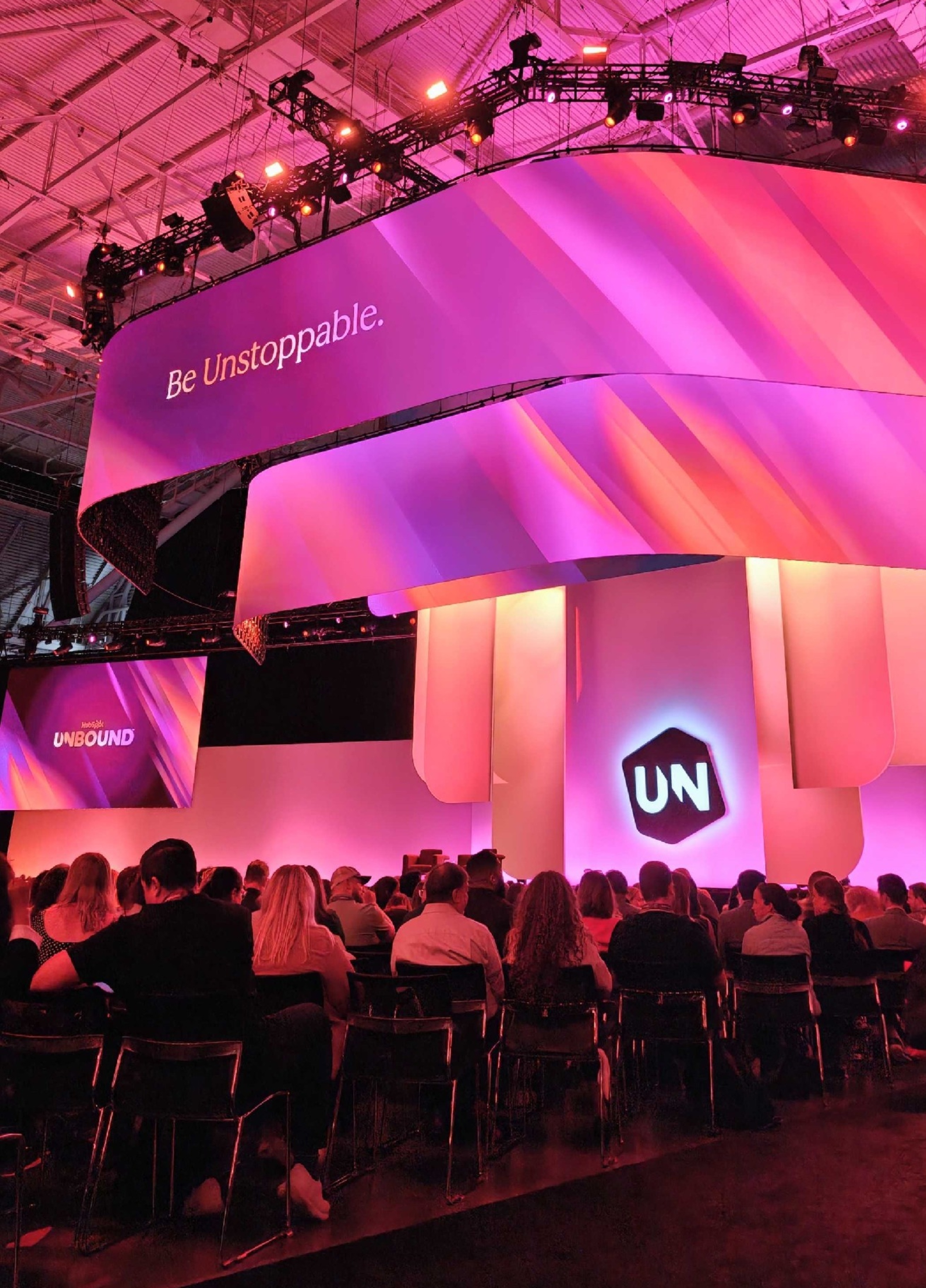
HubSpot UNBOUND 2026 at a glance
| Update | What it does | Kaksio Labs’ recommended first step |
|---|---|---|
| Reimagined Breeze Assistant | Takes a request and delivers campaign plans, reports and proposals from your CRM data | Test it on one recurring task, like a weekly pipeline report |
| Self-updating Smart CRM | Captures calls, emails and meetings and suggests CRM updates | Review which properties it updates and who owns them |
| Context Home | Stores the business context HubSpot’s AI uses and scores how complete it is | Check your score and fill the gaps before rolling out agents |
| Marketing Studio | Plans and runs campaigns from insights, with Campaign, Content and Nurture agents | Run one campaign and have a human edit the AI-written content |
| Sales agents | Prospecting Agent tracks buying signals; Deal Progression suggests next steps and CRM updates | Keep one-click approval on and review the suggestions weekly |
1. What can the new Breeze Assistant do?
Breeze Assistant is HubSpot's AI assistant that now takes action, not just answers questions. You tell it what you need, and it picks the right agents to deliver it: a campaign plan, a pipeline report, a proposal, a landing page. Because it runs on your CRM data, that campaign plan comes back built around your actual contacts, brand and past campaigns, not a generic template from the internet.
It also shows up where you work: in Gmail, on mobile (with voice, now in public beta), and connected to tools like Gong and Asana. HubSpot reports that customers using Breeze Assistant generate 3.6x more MQLs and close 3.2x more deals.
Kaksio Labs' take: fewer AI tools and less copy-pasting between tabs. The catch? Breeze is only as smart as what's in your portal.
2. How does HubSpot's self-updating CRM work?
Every sales team knows the pain: great meeting, zero notes in the CRM. HubSpot's self-updating Smart CRM captures calls, emails and meetings automatically and suggests updates to things like deal stage, amount and next steps.
It even works face to face. The new one-tap Mobile Notetaker (public beta) records in-person meetings, even offline, and turns them into transcripts, summaries and suggested CRM updates once you're back online.
Kaksio Labs' take: less admin, and records that reflect what actually happened. But automation fills whatever structure you give it. If your properties and pipelines are a mess, it fills the mess faster. And since you're recording conversations, make sure your consent and GDPR practices are in order.
3. What is HubSpot Context Home, and why check it first?
Context Home is the place in HubSpot where you define what its AI knows about your business, such as brand voice, positioning, ICP and how your team works, and see how complete that context is. You'll find it in Agent Hub under the Context tab, with a score that shows where the gaps are.
Think of it this way: if Breeze is the new hire, Context Home is its onboarding folder.
This is also where HubSpot's most interesting number lives. Customers using AI with high-quality context generate 5x more MQLs, close 4.7x more deals and resolve 6.8x more tickets than those running on low-quality context. Same tools, same AI. Different data.
In the Nordic HubSpot portals Kaksio Labs audits, the most common gaps are duplicate records, lifecycle stages that no longer match the real sales process, and properties nobody owns anymore.
Most AI problems we see in HubSpot aren't really AI problems. They're data problems. If your CRM doesn't know how you qualify a lead, no agent will guess it right.
— Francesco Palmisano, HubSpot Consultant at Kaksio Labs
Kaksio Labs' take: Kaksio Labs recommends checking Context Home before rolling out any agents, because it's the fastest way to see what the AI will misunderstand about your business.
Not sure how ready your portal is? Take the Kaksio Labs HubSpot AI maturity test.
4. What is HubSpot Marketing Studio?
Marketing Studio is HubSpot's new workspace for planning and running campaigns, available on Marketing Hub Professional and Enterprise and now in public beta. Instead of a blank brief, it opens with insights: your AI search (AEO) visibility score, a segment that's underperforming, or leads that came in and never got a follow-up.
From there, Breeze Assistant brings in three new agents. Campaign Agent turns a goal into a full campaign plan. Content Agent writes blog posts, social posts and landing pages in your brand voice. Nurture Agent personalizes every nurture email for the person receiving it. HubSpot says customers using Marketing Studio create 81% more campaigns on average.
Kaksio Labs' take: a much shorter road from "something isn't working" to a live campaign. The insights, though, are only as reliable as your lists, attribution and campaign associations, and AI-written content still needs a human editor before it goes live.
5. What do the new HubSpot sales agents do?
The updated Prospecting Agent monitors target accounts for 40+ buying signals, scores them against your ICP, sources contacts on demand and drafts personalized outreach. HubSpot reports that customers book 82% more meetings with it.
Once the conversation is rolling, Deal Progression (public beta) analyzes emails, calls and meetings, recommends next steps, drafts follow-ups and updates the CRM. The important detail: the updates wait for a rep's one-click approval, so a human still decides what goes into the CRM. According to HubSpot, customers using Deal Progression win 2.2x more deals on average.
Kaksio Labs' take: reps spend their time selling, not updating fields. Keep that approval step in place, at least at the start, and review what the agent suggests. For the recommendations to make sense, your pipeline stages and required properties also need to match how your team actually sells.

What else did HubSpot announce at UNBOUND 2026?
- Agent Builder lets you build your own agents, for example one that analyzes closed-lost deals or scores leads against your ICP.
- Revenue Agent (public beta) chases overdue invoices with personalized reminders that adapt to each reply.
- AI connectors now bring your HubSpot data into ChatGPT, Claude, Copilot and Gemini. HubSpot is also the first CRM to integrate ChatGPT Ads, though self-service is currently limited to specific countries.
- HubSpot Work (public beta) brings project work like customer onboardings and launches into the CRM.
What's the one thing that makes all of this work?
Look closely, and every launch in HubSpot’s Fall 2026 release has the same dependency: your data. Breeze, the agents and Marketing Studio all read from the same context. Clean data turns them into a real team member. Messy data turns them into a very confident intern.
HubSpot clearly agrees. The release also includes a data model health check with recommended fixes, smarter duplicate management (merge rules, similarity scores and merge previews) and one place to manage objects, properties and associations.
So before you switch everything on, Kaksio Labs recommends starting here:
- Check your Context Home and fill the gaps.
- Run the data model health check and clean up duplicates, properties, lifecycle stages and pipelines.
- Pick one use case, like meeting follow-ups or a campaign in Marketing Studio, and test it properly. Have a named person review what the agent produces for the first few weeks before you scale it to more teams.
Switch on one agent, check its work for a couple of weeks, then scale. That's how you find out where AI actually saves time and where a human still needs to sign off.
— Francesco Palmisano, HubSpot Consultant at Kaksio Labs
Key takeaways
- At UNBOUND 2026, HubSpot’s AI moved from answering questions to doing the work: planning campaigns, updating the CRM and progressing deals.
- Context Home is the best starting point, because it shows what HubSpot’s AI knows, and doesn’t know, about your business.
- According to HubSpot, customers using AI with high-quality context close 4.7x more deals than those running on low-quality context.
- Kaksio Labs recommends rolling out one use case at a time, with a named person reviewing the AI’s output before scaling.
Getting HubSpot foundations right is what Kaksio Labs does every day, from data models and migrations to technical HubSpot development and AI agent implementations. For a deeper look at the agents, read our guide to HubSpot AI agents and what to consider before deploying Customer Agent. If you'd like a second pair of eyes on your portal before you put AI to work, let's talk.
FAQ
What is HubSpot UNBOUND?
UNBOUND is HubSpot's annual conference, known as INBOUND until 2026. UNBOUND 2026 took place in Boston on September 16–18 and launched HubSpot's Fall 2026 Spotlight release.
What was the main message of UNBOUND 2026?
AI needs context to create value. HubSpot calls this Growth Context: the combined knowledge about your customers, your team and your business that its AI and agents work from.
Are the new features available to everyone?
Not all of them. Marketing Studio requires Marketing Hub Professional or Enterprise, and several launches, including Marketing Studio's agents, Deal Progression and Mobile Notetaker, are currently in public beta. Agents also consume HubSpot credits.
Can HubSpot's AI fix bad CRM data on its own?
No. The new tools capture more data automatically and help you spot duplicates and gaps, but someone still needs to own the data model, definitions and processes. That's where most of the real value comes from.
How do I prepare my HubSpot data for AI agents?
Kaksio Labs recommends four steps: fill in your company context in Context Home, run the data model health check, clean up duplicates, properties, lifecycle stages and pipelines, and give each part of the data model a clear owner. Then pilot one agent with a person reviewing its output before you scale.
Do HubSpot AI agents cost extra?
Most agents consume HubSpot credits, and for some, like Customer Agent and Prospecting Agent, HubSpot charges when a task is completed. Your credit allowance depends on your subscription, so check your credit usage before rolling agents out widely.
Sources
- HubSpot: Fall 2026 Spotlight announcement
- HubSpot: Fall 2026 Spotlight, all product updates
- HubSpot: HubSpot and OpenAI deepen partnership
- HubSpot Knowledge Base: Manage AI context
- HubSpot Knowledge Base: Mobile Notetaker
- The State of AI in 2026 [Research Pack]
- Connect and manage ChatGPT Ads account in HubSpot
About the author
Francesco Palmisano is a HubSpot Consultant at Kaksio Labs, where he helps companies get more out of HubSpot, from CRM implementations, data cleanup and migrations to integrations and Sales and Service Hub projects.
Want to talk through your own portal? Book a 30-minute session with us.